PC fixes · PRACTICAL GUIDE
Wi-Fi connected but no internet in Windows 11: find the failing link
Connecting to a router is not the same as reaching the internet. Before resetting Windows networking, compare one other device and more than one trusted website. That small test can separate a computer problem from a router or service outage.
Start with the safe checks ↓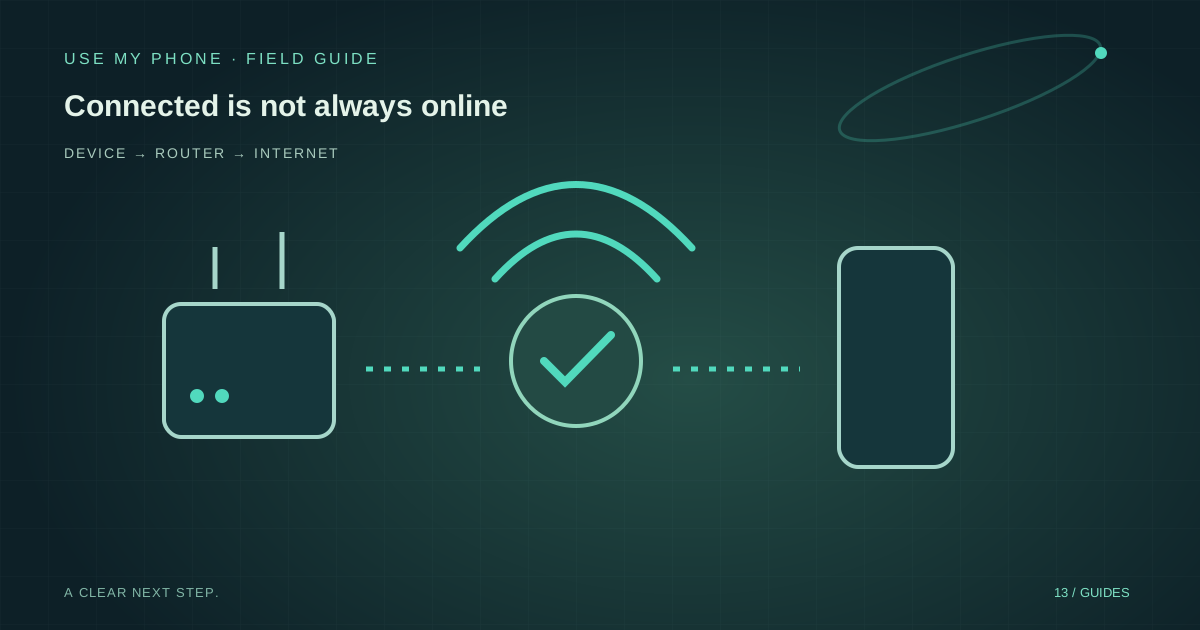
THE QUICK ANSWER
Here’s the short version.
Check the network name, try another trusted website and compare another device on the same Wi-Fi. Complete any genuine guest-network login, then run Windows’ Network and Internet troubleshooter. Treat network reset as a last resort, especially on work machines.
LET’S DO THIS
Work through these checks
Confirm the actual connection
Open quick settings and check which Wi-Fi network is connected. Turn off Airplane mode if needed. A familiar-looking network name is not proof that it is your intended network; do not join a stranger’s access point to test.
Compare websites and devices
Try two trusted sites, then check another device on that same Wi-Fi. If only one site fails, investigate the site. If every device fails, focus on the shared connection rather than reinstalling this computer’s adapter.
Check a guest-network login
Hotels and public networks may require a browser sign-in or terms page. Use the network’s genuine instructions and avoid entering sensitive account credentials into an unexpected portal. Do not bypass certificate warnings to force a connection.
Use supported diagnosis
Run Windows’ Network and Internet troubleshooting through Get Help. Before forgetting a network, make sure you know how to reconnect. For work-managed VPNs or proxies, ask IT rather than removing required configuration.
Restart shared equipment thoughtfully
For your own router, follow its provider’s restart instructions only after warning other users. Wait for it to finish reconnecting. Do not press the factory-reset button: a restart and a configuration reset are very different operations.
Build a tiny diagnosis map
Write three results: this PC on this network, another device on this network, and this PC on another network you trust if available. You do not need to change settings to collect the first two. If only this PC fails, the evidence points towards its configuration or adapter. If both fail together, the shared network deserves attention.
A phone using mobile data is not a valid comparison for the home Wi-Fi until you confirm which connection it is using. Otherwise you may incorrectly conclude that the router is healthy because the phone quietly switched to cellular service.
Online browsing can work while a real-time connection fails
A page loading proves that one web request succeeded. It does not prove that every network feature is allowed. Corporate and guest networks can restrict real-time device connections even while ordinary browsing works.
For a phone-to-computer task, test the intended browser session and connection status rather than assuming Wi-Fi bars guarantee pairing. If a trusted alternative network succeeds, record that difference. It is useful evidence for the network administrator; it is not a reason to disable the firewall globally.
Leave disruptive resets until you understand their cost
A Windows network reset can remove networking configuration and require VPN or virtual-network software to be set up again. On a managed machine, that can create a second problem while the original outage remains. Keep the exact error, network name and comparison results before considering it.
For a provider outage, further PC changes will not repair the line. Contact the provider with your equipment status and the fact that multiple devices are affected. For one failing computer, use manufacturer or administrator guidance grounded in the results you collected.
THE THINGS PEOPLE ASK
Common questions
Why does Wi-Fi show connected when websites fail?
The computer may be connected to the local access point without a working internet path. Compare another device and check the network’s login or outage status.
Should I reset my router?
A provider-guided restart may help. A factory reset erases configuration and is not an ordinary first troubleshooting step.
Sources & further help
Check the documentation for your version. Menus and available options can change.
YOUR NEXT MOVE
Still stuck? Narrow it down.
Note the exact error, what changed before it started, and which checks worked. That makes the next support conversation much more useful.